| .vscode | ||
| components | ||
| libs | ||
| pages | ||
| public | ||
| styles | ||
| .env.local_EXAMPLE | ||
| .eslintrc | ||
| .gitattributes | ||
| .gitignore | ||
| LICENSE | ||
| next.config.js | ||
| package-lock.json | ||
| package.json | ||
| postcss.config.js | ||
| README.md | ||
| tailwind.config.js | ||

Beautiful & free dashboard to use with Healthchecks.io. An easy way to see all your checks at a glance in real time, works great on desktop and mobile.
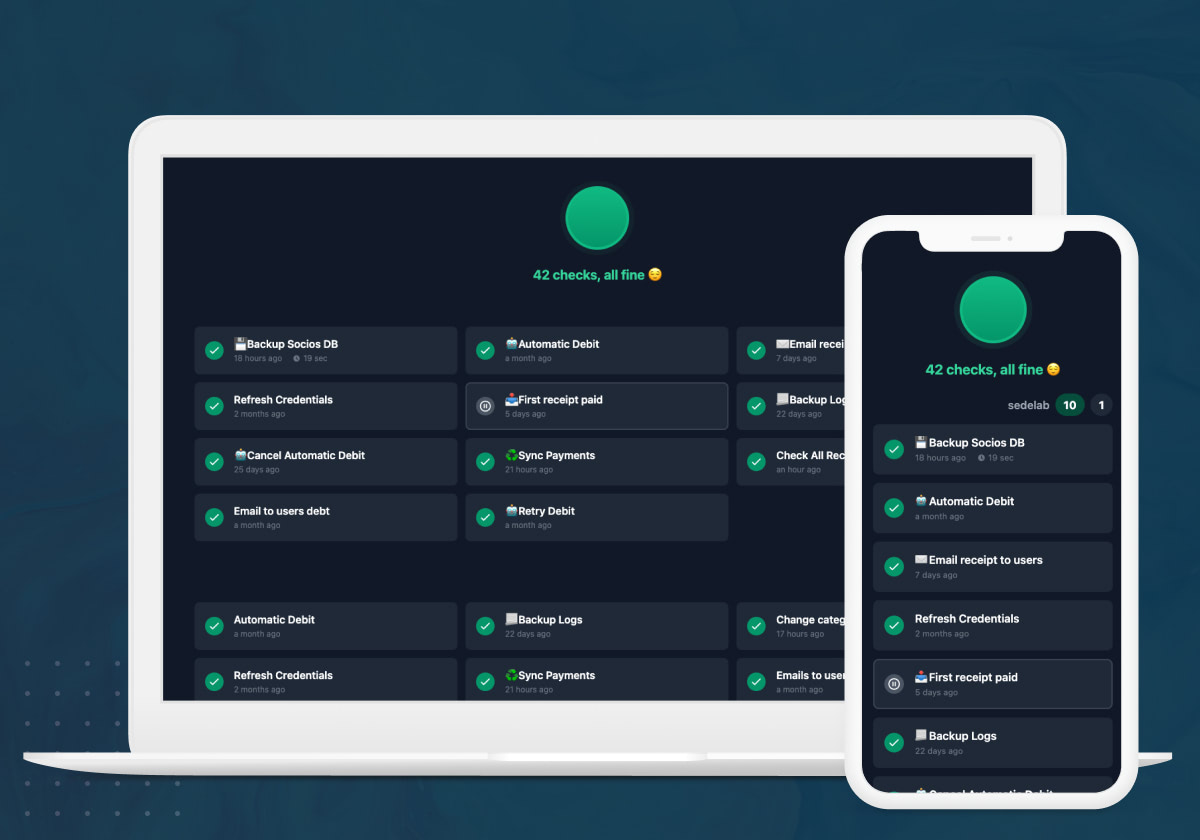
Deploy on Vercel for free
This is a Next.js app, so it is recommended to deploy it on Vercel but you can use any host that supports Next.js. All you have to do is click on the Deploy button below and then fill the Enviroment Variables with your API key and an optional site's name.
Where is my API Key?
Log in on Healthchecks.io, go to the project you want to use, click on Settings and there you will find the API Access section:
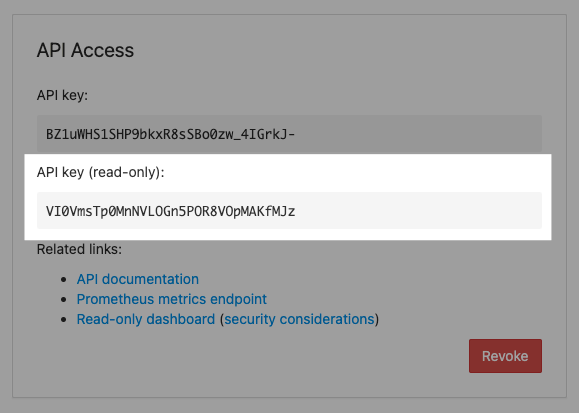
Always use the read-only API key.
Security
If you decide to make your dashboard public, your read-only API key will become public as well. Using the read-only API key, anybody can fetch basic information about checks in your project. This includes, for each check:
- name, tags and description (even though tags and descriptions are currently not being shown on the dashboard)
- check's schedule (period, grace time, cron expression + timezone)
- current status (new / up / down / paused)
- precise time of the last ping
- precise time of when the next ping is expected
- total number of pings the check has received
Here are the things that the read-only API keys cannot do:
- the ping URLs are not exposed. You are not risking unexpected pings from random visitors
- no write access: cannot update or delete the existing checks, cannot create new checks in your project
Created by @NicoAndrade